Rooted in Reciprocity

Reflections on Teaching & Learning

Setting up my blog site

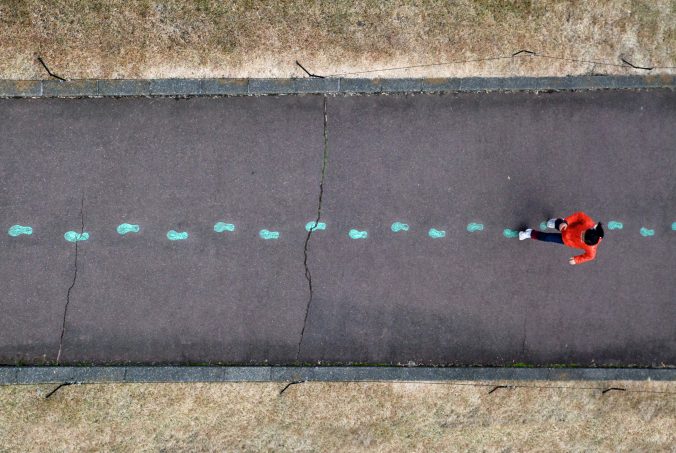
Photo by JOGphotos on Unsplash

I was excited to set up my blog today using WordPress, which I’ve used extensively through my non-profit work. I was reminded that while we have been programmed to expect smooth, instantaneous responses from the internet, things still take time, and get tangled and jammed up behind the scenes. For example, my initial blog title “Rooted Reciprocity” caused a mysterious jam in the Wordpres server, but my secondary choice, “Rooted in Reciprocity,” set up successfully. Was it the name itself, or the link I clicked to complete setup, or just my timing that made the difference? I’m not sure, but this seemingly arbitrary differentiation illustrated that, despite what often feels transactional and uni-directional, my relationship with digital technology may be more complex. I ask technology to be responsive to me, but when things go awry, I must be responsive to it. We are in relationship.

I notice I wrote that last sentence reluctantly. I love to think about how I’m in relationship with plants, soil, water, people. I consider these elements part of my ecosystem community – we give and receive gifts from each other. We are reciprocally related. I don’t want to admit that I’m in relationship with digital technology. I want to believe I use it because I have to, because of our societal dependence upon it; I want to imagine that we’re not so intimately connected. And yet, I hold my phone more often than I hold my partner’s hand. I gaze into a screen longer than I look into my kids’ eyes. While I am working on switching up that ratio, I wonder, what if I also switched up how I thought about my relationship with digital technology? What if I grounded it in gratitude and considered what I received and could give in return? Can I root my relationship with technology in reciprocity?
Welcome and Introduction

Before proceeding with this first blog post, we expect you to consider your privacy preferences carefully and that you have considered the following options:

  1. Do you want to be online vs. offline?
  2. Do you want to use your name (or part thereof) vs. a pseudonym (e.g., West Coast Teacher)?
  3. Do you want to have your blog public vs. private? (Note, you can set individual blog posts private or password-protected or have an entire blog set to private

First tasks you might explore with your new blog:

  • Go into its admin panel found by adding /wp-admin at the end of your blog’s URL
  • Add new categories or tags to organize your blog posts – found under “Posts” (but do not remove the pre-existing “Topic Reflections”, or “Lesson Plan & Materials Creation” categories). If you would like to add more course categories, please do so (e.g., add EDCI 306A with no space for Music Ed, etc.)
  • See if your blog posts are appearing on the course website (you must have the course categories assigned to a post first and have provided your instructor with your blog URL)
  • Add pages
  • Embed images or set featured images and embed video in blog posts and pages (can be your own media or that found on the internet, but consider free or creative commons licensed works)
  • Under Appearance,
    • Select your preferred website theme and customize to your preferences (New title, etc.)
    • Customize menus & navigation
    • Use widgets to customize blog content and features
  • Delete this starter post (or switch it to draft status if you want to keep for reference)

Do consider creating categories for each course that you take should you wish to document your learning (or from professional learning activities outside of formal courses). Keep note, however, that you may wish to use the course topic as the category as opposed to the course number as individuals outside of your program would not be familiar with the number (e.g., we use “EdTech” instead of “IED 336”).

Lastly, as always, be aware of the FIPPA as it relates to privacy and share only those names/images that you have consent to use or are otherwise public figures. When in doubt, ask us.

Please also review the resources from our course website for getting started with blogging: